
AI Insights
Once an incentive is activated, you can access its insights. AI insights include a summary of the incentive’s mechanics, the incentive’s participation trends, and recommendations on how it might be improved.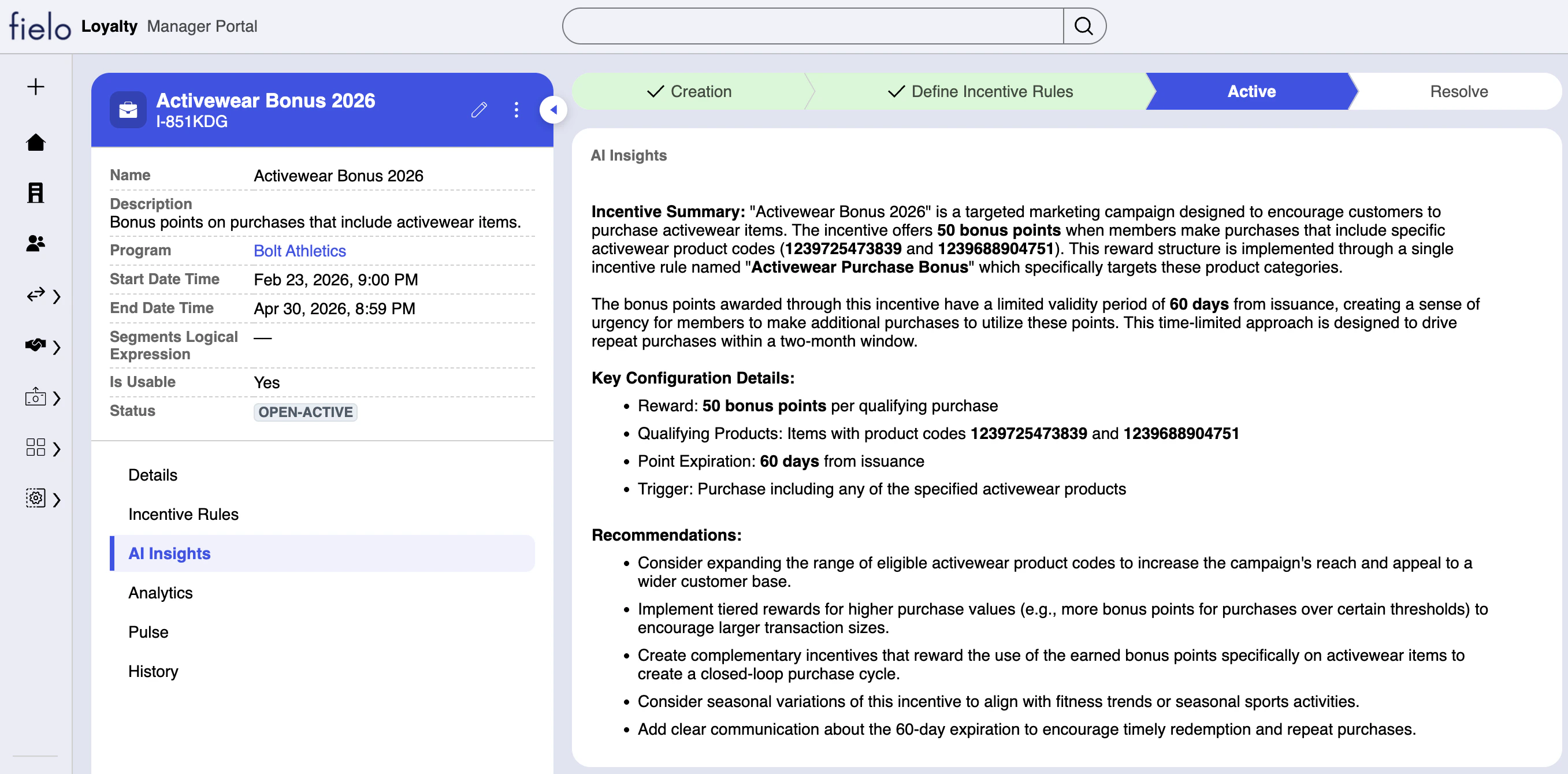
AI Enhancement
You can improve your incentives with Fielo Copilot. Click on the purple ✨ icon on the right side of an incentive detail page and start a conversation.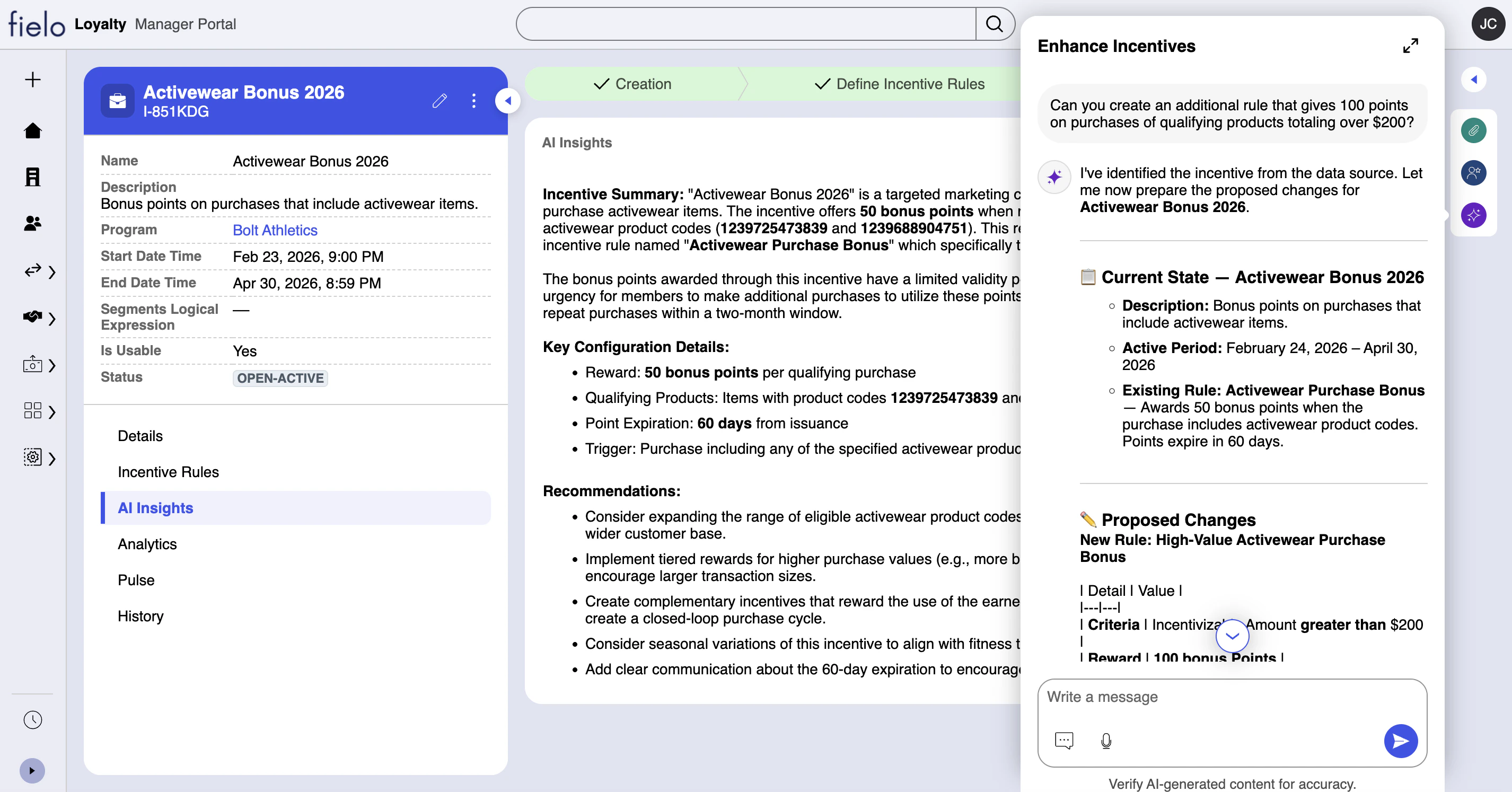
Autonomous AI Optimization (Coming Soon)
Once your incentive is in full swing, Fielo Copilot can make sure it stays performant, automatically. On each of your incentives, you control which kinds of optimizations Fielo can carry out on the fly, require admin approval, or are simply admin-only. All autonomous activities are recorded on the Recent Updates list, including a timestamp and the name of the approver (when applicable).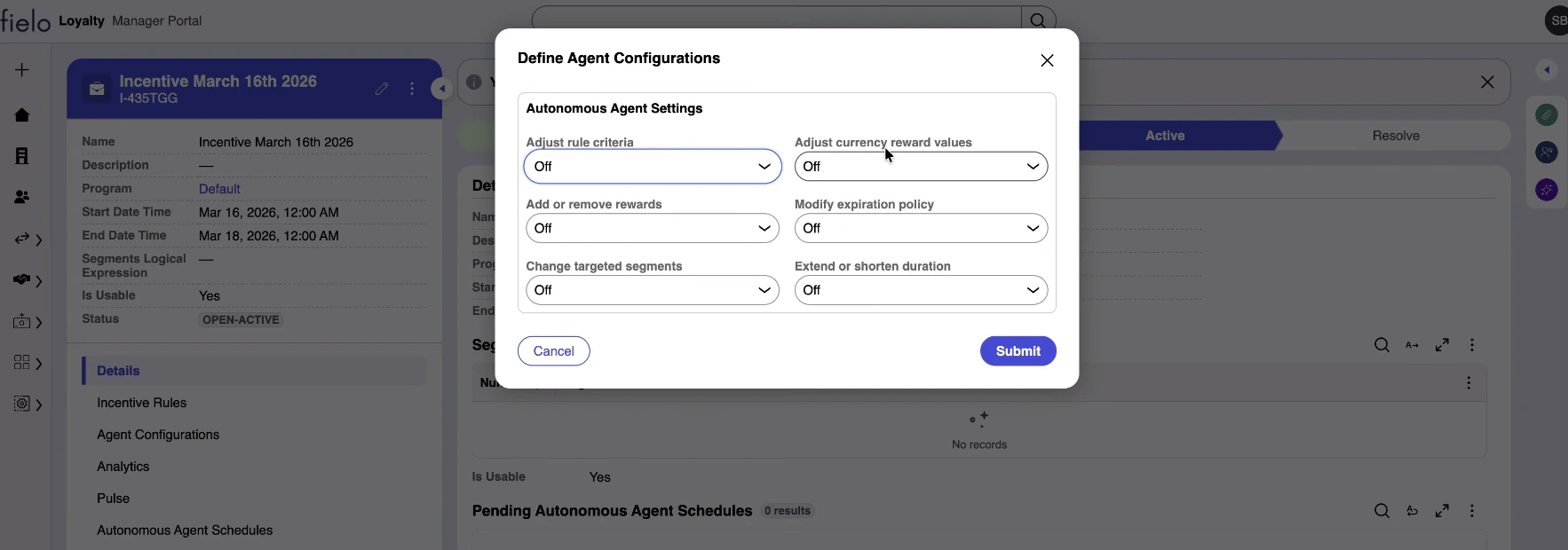
Optimization Types
- Extend or shorten duration: AI can change the incentive start date and end date.
- Adjust currency reward values: When currency rewards are being given, reward values can be changed. If no currency rewards are being given, no optimizations of this type are made.
- Modify expiration policy: When currency rewards that expire are being given, the expiration policy can be modified. Currency rewards that don’t expire are excluded from this type of optimization.
- Add or remove rewards: AI can add or remove currency rewards and instant rewards.
- Adjust rule criteria: AI can make changes to the comparators and values of existing rule criteria, but not source fields. For example, AI can change the criterion
Total Amount > 100toTotal Amount >= 150, but cannot change the “Total Amount” field to different one. - Change targeted segments: AI can add and remove segments to and from the incentive.
Trust Levels
- Off: No autonomous activity of this type permitted.
- Ask Me: Ask for approval for activities of this type. When AI recommends an activity of this type, all registered Loyalty Managers are informed by email. The activity can be approved or rejected on the AI Suggestions for Manual Review table on the corresponding incentive page.
- Automate: AI is free to execute activities of this type autonomously.
Incentive Processing
When Fielo is notified of an incentivizable occurrence, such as a new Sale or Event, the system processes it to determine what, if any, reward the member associated with that occurrence should receive. Incentive processing follows a series of eliminative steps:- Queue: The occurrence enters a queue, to be processed in order of insertion (first in, first out). Depending on volume and network conditions, this can take a few seconds to a few minutes.
- Data Sets: Fielo evaluates whether the occurrence meets the criteria of any of the data sets that correspond to its object type. Data Set criteria serve as a first-level filter that can remove occurrences that are generally not incentivizable, such as sales originating from nonparticipating channels. Caps are also enforced on this step.
- Incentive Eligibility: The member’s segment(s) and/or tier are checked against the incentives whose rules belong to the data set(s) identified in the previous step. Members can only be rewarded on incentives targeted to one of their segments or tiers, as well as those open to all members.
- Incentive Rules: The occurrence is evaluated against the criteria of the rules belonging to the data set(s) identified in step 2 and the eligible incentives identified in step 3.
- No Competition: The member will be rewarded by all rules of type “No Competition” whose criteria have been met.
- Best Option: For all rules of type “Best Option” whose criteria have been met, only the one whose reward is most favorable to the member will be applied. Usually, this is the rule that awards the most currency. In the event multiple rules award the same amount, the rule with the more generous expiration policy prevails.
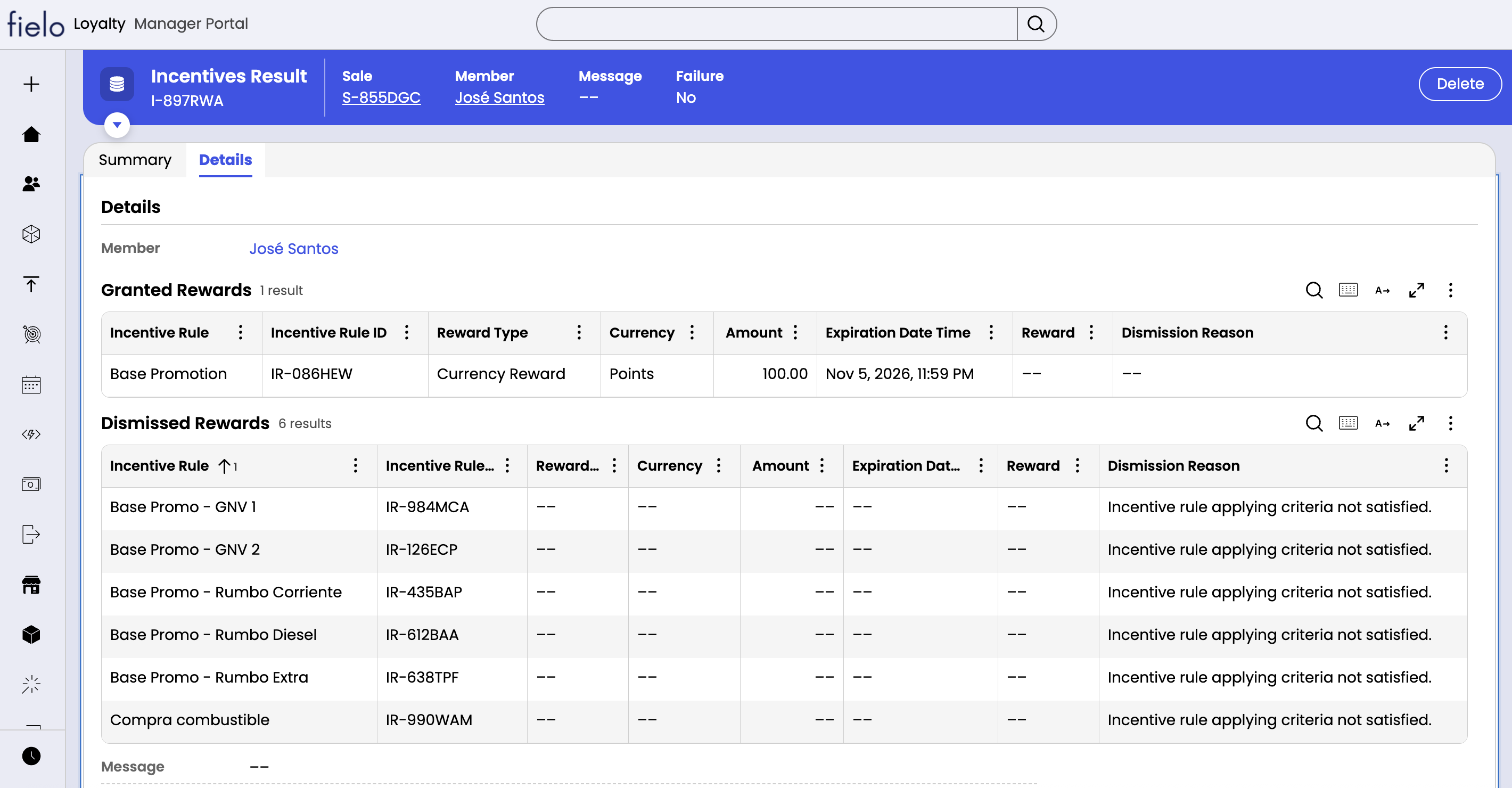
Incentive Results
Post-processing, you have visibility on how an incentivizable occurrence, such as a sale or event, was processed by Fielo. Incentive results show which rewards were granted and which were discarded, including the reasons for each. You can find incentive results on the detail page of a processed occurrence, such as a sale or event with status of “Resolved-Processed”.