Event Schedules create Events on or before key dates on members’ profiles, such as birthdays and program anniversaries. This enables you to configure incentive rules that reward members around such commemorative dates.
Add an Event Schedule
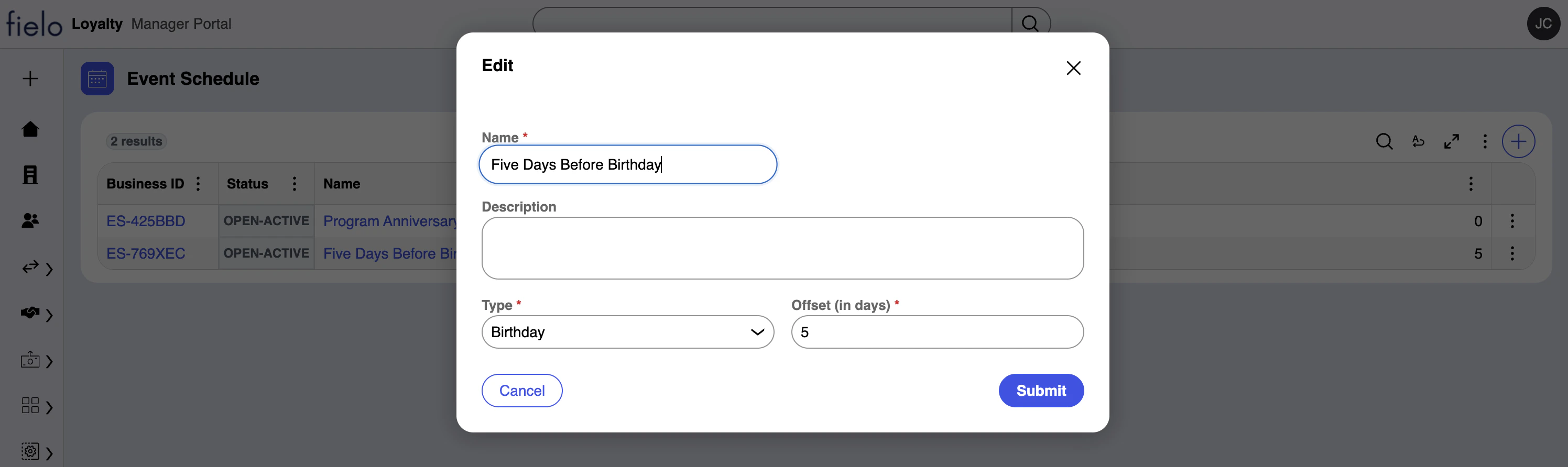
To configure an event schedule, navigate to the Event Schedules page and select +. In addition to a name and description, event schedules have the following attributes:
- Type: Anniversary means that events will be generated on or before members’ program anniversary (Join Date Time field). Birthday means that events will be generated on or before members’ birthday (Date of Birth field).
- Offset (in days): The number of days ahead of the commemorative date that events should be generated. To have events created on the day of, enter
0.
Schedule Event Creation
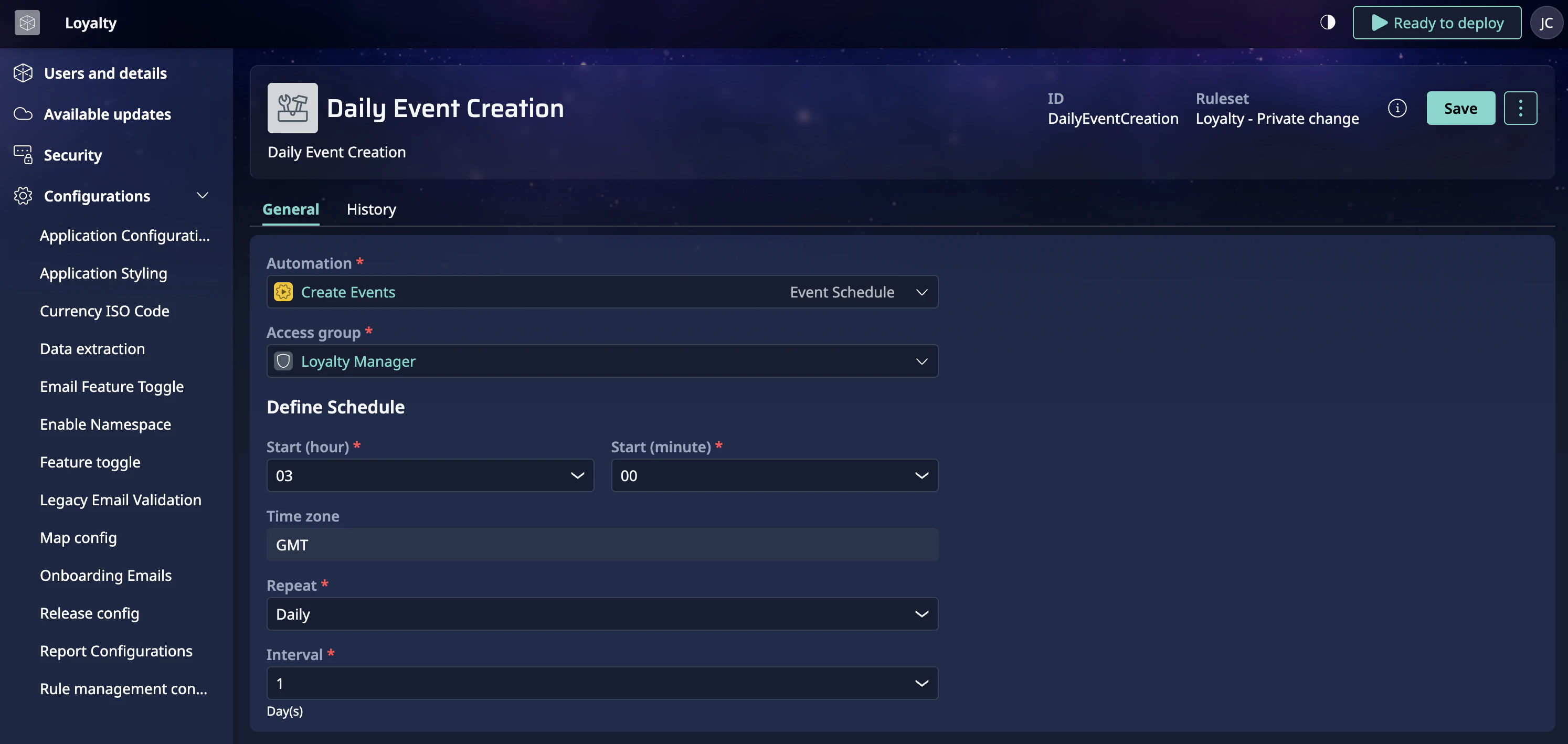
By default, events are created daily at 3:00 AM GMT.
To change the run time or frequency, click on your initials on the top right and choose Administration. On the left navigation, under Configurations, select Application Configuration.
Click on Daily Event Creation. In the three-dot menu near the top right of the page, choose Override. (If someone has already done this before, there’s no need to override again.)
Make the desired changes and save.
If event creation is scheduled for more than once per day, incentive rules may reward members multiple times for the same commemorative date. Typically, this is only desirable when testing.In production, schedule this job to run, at most, once daily.